

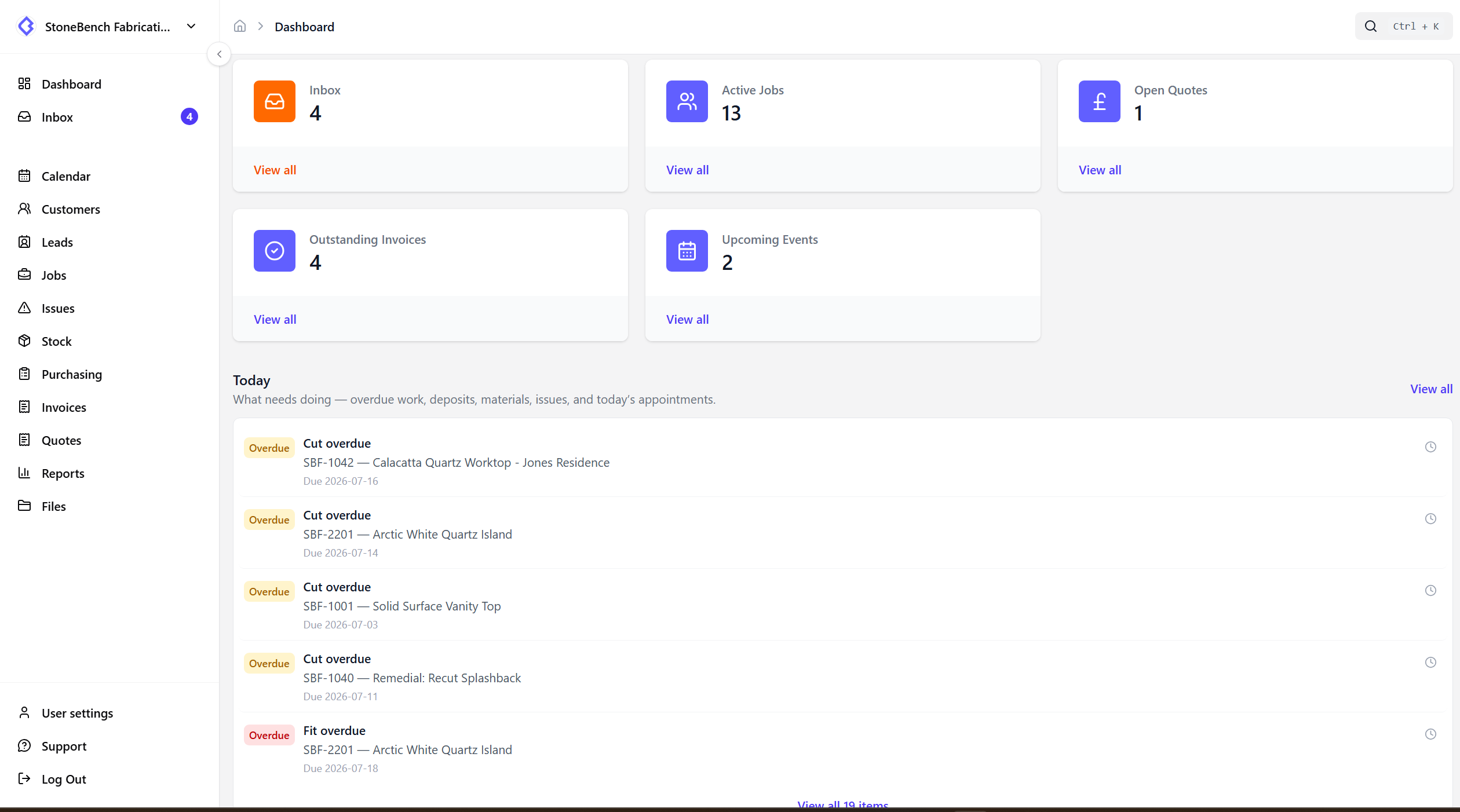
Today queue

Know what needs doing today without hunting the board

The issue

Staff hunt kanban columns and calendars to figure out what to do next.

Open Today and see the actionable list for your role — then jump straight to the job.

CutBench Today queue showing overdue work, deposits, materials, and issues
Today queue — what needs doing today, matched to your role

How CutBench helps

One list, not another calendar

Calendar stays the timed whiteboard for template, cut, and fit. Today is the “do now” list — blockers and today’s appointments in one place.

  • Overdue template, cut, or fit dates
  • Unpaid deposits waiting on invoice jobs
  • Materials not ready when cut or fit is due
  • Open job issues you own (or the whole shop, for office)
  • Appointments scheduled for today

On the home screen and in Inbox

A short Today teaser sits on the dashboard. Open Inbox → Today for the full list. Click any row to open the job.

Snooze without losing the problem

Snooze until end of day, tomorrow, or three days. When the snooze ends, the item comes back if the underlying issue is still open. Fix the root cause and it disappears for good.

Different list for office and field

Office sees shop-wide blockers first. Templaters and fitters see their appointments today and the issues assigned to them — so the queue matches how they work.

Who it helps

Office, workshop, and field

  • Office

    Start the day on Today — clear deposits, overdue dates, materials gaps, and open issues without scanning every column.

  • Workshop

    See overdue cuts and materials blockers before you pull the next job.

  • Field

    Templaters and fitters open Today for today’s visits and the blockers they own.

Ready to ditch the paper chase?

Start your 14-day free trial or book a demo with our team. Built specifically for stone and worktop fabricators.