

Issues

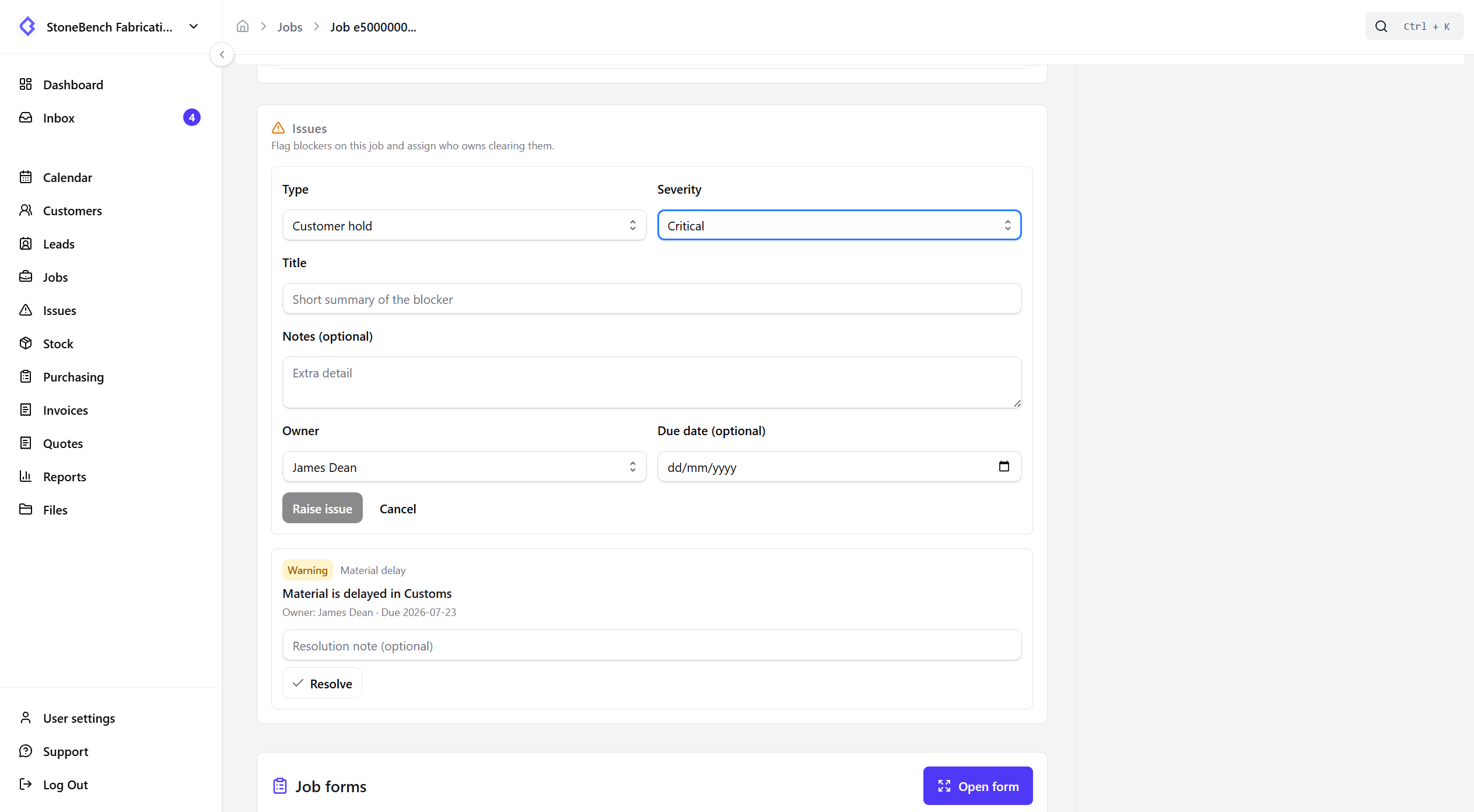
Flag job blockers and assign who owns them

The issue

Blockers live in comments and WhatsApp - nobody owns clearing them.

Raise a red flag on the job, assign an owner, and triage open issues until they are resolved.

CutBench Issues board showing open job blockers by severity and owner
Issues board — owned blockers in one place to triage and clear

How CutBench helps

Structured blockers, not free-text noise

Mark why a job is stuck - material delay, access issue, customer hold, remedial, or other - with severity and an optional due date.

  • Owner required so someone is accountable
  • Open until resolved - not lost in an inbox archive
  • Activity logged when raised or cleared

One board for open issues

The Issues board lists open blockers across the shop. Filter by severity, type, owner, or overdue - then jump straight to the job.

Visible on the jobs board

Open issues show on the kanban so the office and workshop see a red flag without digging into comments. Filter to jobs that have open issues.

Optional status lock for critical issues

Admins can require critical issues to be resolved before a job can move status - so production does not advance while a known blocker is still open.

Who it helps

Office, workshop, and field

  • Office

    Raise holds and delays with an owner, then clear the Issues board as they are fixed.

  • Workshop

    See which jobs have open blockers before you pull them into cut or fit.

  • Field

    Office can log access or site issues against the job so the shop knows before the next visit.

Ready to ditch the paper chase?

Start your 14-day free trial or book a demo with our team. Built specifically for stone and worktop fabricators.