

Cut file handoff

Keep the cut file on the job, ready for the shop

The issue

The nested DXF lives on one shop PC - tablets and other machines cannot find the right file.

One clear cut file on the job, marked ready for cut, downloadable from any workshop tablet or PC.

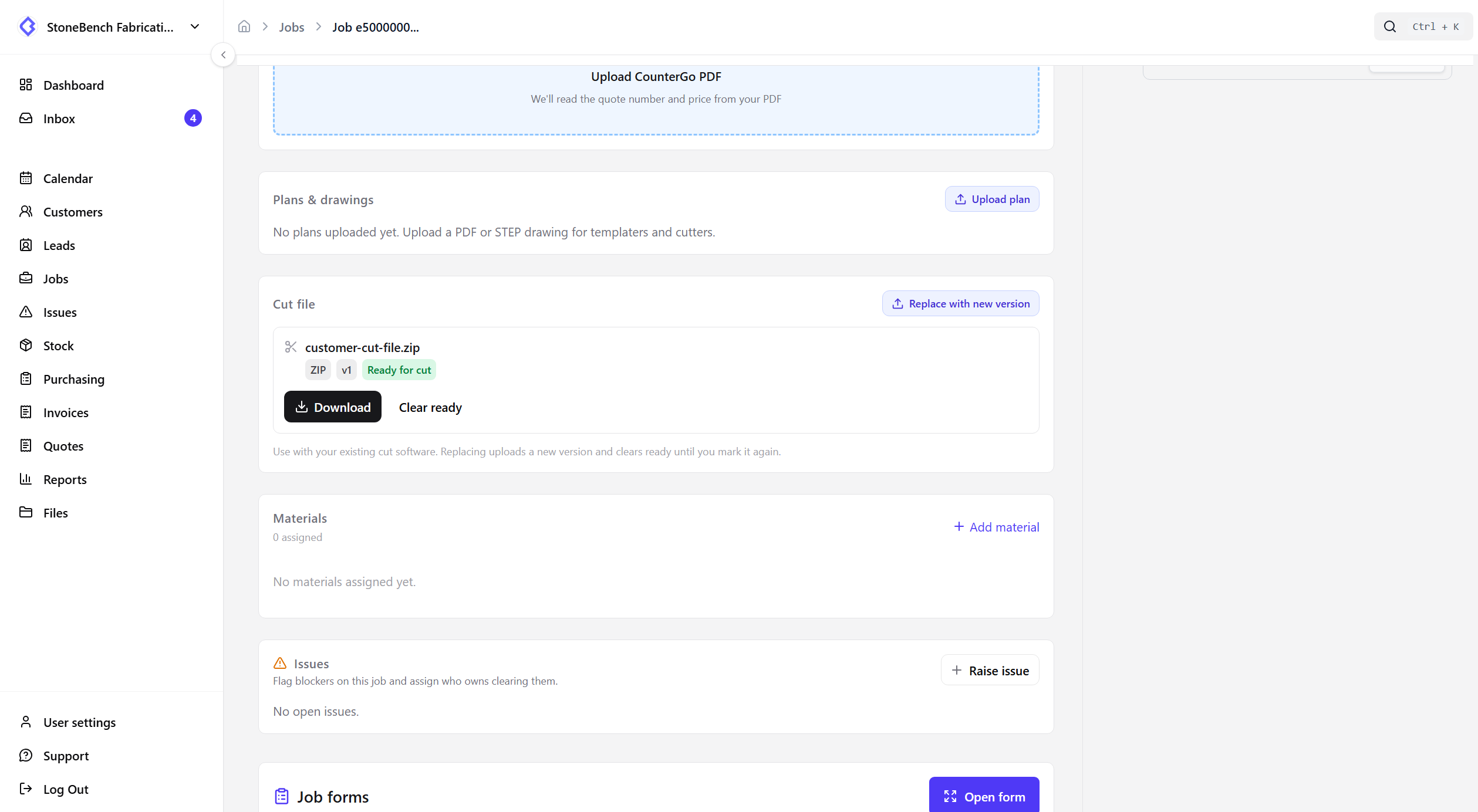
CutBench job showing cut file attached and marked ready for the workshop
Cut file on the job — upload, mark ready, download on the shop floor

How CutBench helps

One cut file the whole shop can trust

Upload the DXF or ZIP from your nesting software onto the job. CutBench keeps a single cut-file slot so nobody guesses which version to load.

  • DXF or ZIP from your existing cut software
  • Replace uploads a new version - not a pile of competing files
  • Plans and drawings stay separate for customer sign-off

Mark ready for cut

When the file is good to run, mark it ready. The job header shows Ready for cut so the bench can see it at a glance and download in one tap.

Use the tools you already have

CutBench does not nest, CAM, or talk to the machine. Nest on your shop PC, store the output in the cloud, open the job on a tablet, and download into your cutter workflow.

Less “which PC has the DXF?”

Office and workshop share the same job. When material is ready and the cut file is marked, the cutter opens the job and loads the approved file - no USB hunt or WhatsApp photo of a screen.

Who it helps

Office, workshop, and field

  • Office

    Upload the nested file after templating and mark ready when the job is cleared for cut.

  • Workshop

    Open the job on a tablet, see Ready for cut, and download the file into your cut software.

  • Field

    Templaters still work from plans and drawings - cut packs stay a shop handoff.

Ready to ditch the paper chase?

Start your 14-day free trial or book a demo with our team. Built specifically for stone and worktop fabricators.