

Scheduling

Schedule template, fab, and install without clashes

The issue

No trusted view of the week - template, fab, and fit keep colliding.

One shared calendar tied to each job so the week is planned, not fought over.

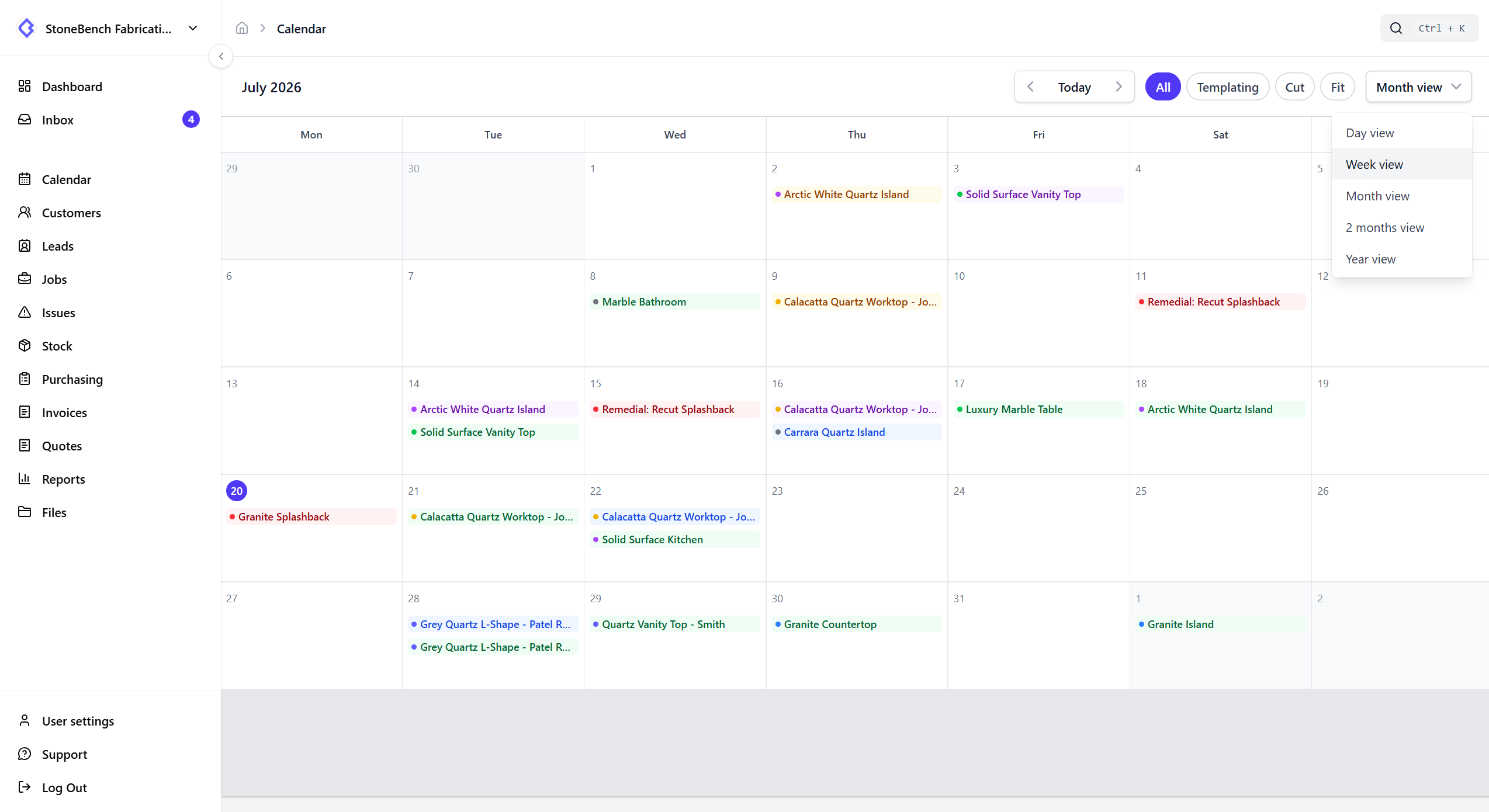
CutBench scheduling calendar showing template, cut, and install bookings across the week
Shared shop calendar — template, cut, and install in one view

How CutBench helps

One calendar the office and workshop share

Stop running the week from a whiteboard, a spreadsheet, and whoever answered the phone last. Everyone sees the same booked work - not three conflicting versions of the truth.

  • Day, week, and month views that match how you plan
  • Filter to templating, cut, fits, or everything
  • Spot clashes before you send the van or start the slab

Lead times that fill the next step for you (Pro)

Turn on autoschedule and set your shop offsets — for example cut a week after templating, fit a week after cut. When you book templating on a new or existing job, empty cut and fit dates fill in from those lead times. Move an upstream date and CutBench asks before nudging dates you already set. Turn it off for one awkward job without changing shop defaults.

  • Pro feature — enable under Settings → Scheduling
  • Calendar-day lead times between template, cut, and fit
  • Soft warning if dates look out of order (does not block save)

See your appointments on your phone calendar

Templaters and fitters can subscribe with a private link so CutBench visits appear in Outlook, Google Calendar, Apple Calendar, or any phone calendar app - no Google or Microsoft account connection required. The shop calendar in CutBench stays the source of truth; the link is a one-way feed that updates when the app refreshes.

  • Copy a private subscribe link from Settings → Calendar (or the templater calendar)
  • Paste into Outlook, Google, Apple, or use the one-tap webcal open
  • Rotate or turn off the link anytime if a device is lost

Book on the job - it shows on the calendar

Set templating, cut, and fit dates on the job and they appear on the shared calendar automatically - with the job ref, site, and status - so a diary change is never trapped in someone’s personal calendar.

Plan the week without the phone chase

Office books the work; templaters and fitters see what’s coming. Templaters also get a dedicated schedule in their portal - so “when are you free?” stops being a WhatsApp thread.

Part of how the job actually runs

Scheduling isn’t a separate diary bolted on the side. When dates move, the pipeline, quotes, and field updates all point at the same job.

Who it helps

Office, workshop, and field

  • Office

    Plan the week from one calendar - book templating, cut, and fits on the job, with optional Pro lead times that fill the next step for you.

  • Workshop

    See what’s booked this week before you cut - same view the office uses, not a photocopied list.

  • Field

    Check upcoming templates and installs on your phone calendar via a private CutBench subscribe link; templaters also use their portal schedule.

Ready to ditch the paper chase?

Start your 14-day free trial or book a demo with our team. Built specifically for stone and worktop fabricators.