

Quotes & invoices

Quote, approve, and invoice from the same job

The issue

Quotes stuck in Word and email; invoices somewhere else - hard to chase or close.

Send quotes, lock the winner, raise invoices, and track what’s owed on the job.

Sending quotes and invoices, approving variants, and native invoicing are on Starter and Pro. Quote cost tracking and margin warnings, and automatic quote follow-up emails, need Pro.

CutBench quoting screen showing quote lines, totals, and send options on a job
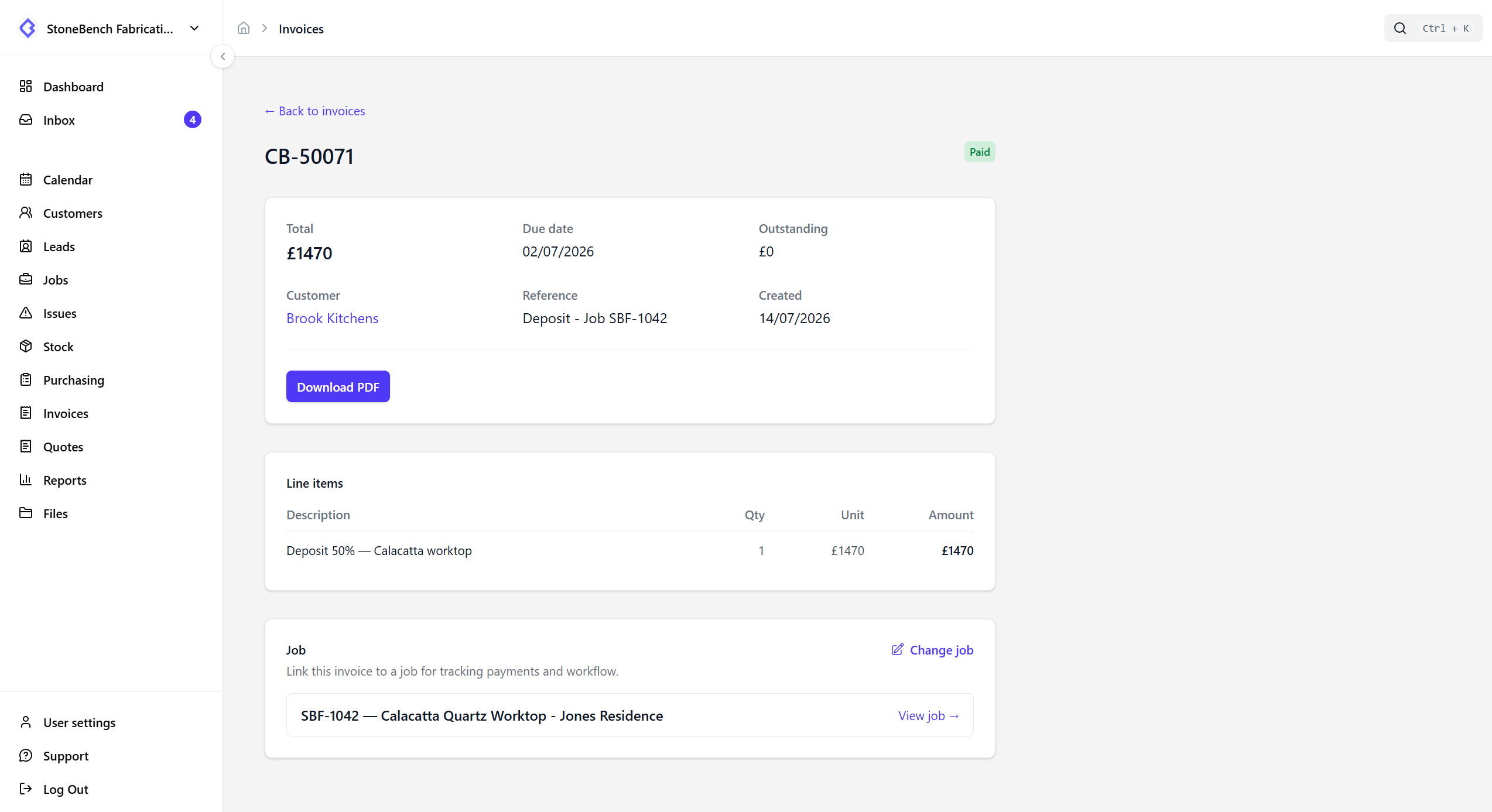
Quotes on the job — revise, send, approve, and track what’s owed

How CutBench helps

Quotes that stay with the work

Keep quote options on the job - including CounterGo PDFs - then send them to the customer from CutBench. When they pick one, approve it so production follows the agreed version, not a buried email thread.

  • Bring quote variants onto the job with the PDF attached
  • Compare two options side by side - drawings in the PDF plus price differences
  • Email the quote to the customer from CutBench
  • Approve the winning option without re-keying the scope

Compare revisions before you send

When a customer asks for a change, import the new CounterGo PDF as another variant. Open Compare to see both PDFs together - so you can walk through drawing changes - with totals and line differences called out underneath.

  • Side-by-side PDF preview for two variants on the same job
  • Clear total and line-item differences before approve or send
  • Same idea for plan versions when drawings are revised on the job

See margin before you commit

On Pro, turn on quote costing to compare what the job will cost you against the quote total. Pull material cost from stock, estimate template, cut, and fit, add extras on the job, and get a clear warning when margin looks thin - before you approve or send.

  • Unit costs on stock and slabs feed material into the margin
  • Estimate template, cut, and fit (in-house or freelance rates)
  • Update hours after approval if the shop takes longer than planned

Approve once - deposit and schedule follow

Payment terms sit on the customer. Approving a quote builds the payment schedule for that job and can create the deposit invoice when terms call for one - so the office is not rebuilding the same numbers in a spreadsheet.

Invoices from the same record

Raise invoices, email them to the customer, and keep outstanding amounts visible against the job. Pair with Xero, QuickBooks Online, or Sage Business Cloud when you use them so paid status comes back without a second chase list.

Chase outstanding quotes without the spreadsheet

On Pro, automation can follow up with customers a set number of days after a quote was sent - while the job is still quoted. Starter shops send and track quotes the same way; the timed chase is the Pro upgrade.

Who it helps

Office, workshop, and field

  • Office

    Quote, approve, invoice, and chase from one job - plus optional margin checks so thin jobs get caught early.

  • Workshop

    See which quote was approved so fab works to the agreed scope, not last week’s option.

  • Field

    Less confusion on site about what was quoted versus what was signed off.

Ready to ditch the paper chase?

Start your 14-day free trial or book a demo with our team. Built specifically for stone and worktop fabricators.