

Templating Best Practices for Quartz and Granite Worktops
Templating best practices for quartz worktops and granite jobs start long before measuring. Learn a site measurement workflow that cuts remakes, improves handoffs, and shows how better seam planning, readiness checks, and digital tools keep installs on track.
Templating may look simple from the outside, but templating best practices matter from the first site visit onward. You visit the site, take measurements, mark cut-outs, and move on. Anyone running a stone shop knows what really happens. Small mistakes at this stage can lead to expensive slabs, delayed installs, and awkward customer calls.
With quartz worktops and granite worktops, good templating is about more than accuracy with a laser or rod set. Timing matters as well. Readiness, handoff, and clear decisions all shape the result. If the cabinets are not fixed, the sink is missing, or the seam plan stays vague, even a perfect template can still end in a bad fit.
The best templating practices are really workflow practices, not just measuring. They help owners, office teams, templaters, fitters, and sales staff work from the same facts. In many shops, templating is the control point between quote approval, fabrication, scheduling, and installation. This guide covers a practical site measurement workflow, common mistakes to avoid, when digital methods help, and how to build a process that still works if the team is shifting away from paper notes and spreadsheets. Strong templating best practices also help teams reduce confusion between departments.
Start with site readiness in templating best practices
The best template work starts before anyone opens a case or tablet. It starts with a site that is truly ready. Across UK worktop guidance, the same rule shows up again and again: do not template until the base units are fully installed, fixed, and level.
One published guidance line says:
No. Adjustable feet must be locked, cabinets shimmed to the wall as required, and the run levelled to ±1mm and verified before templating.
That one point prevents a lot of rework. If cabinets move after templating, the dimensions are no longer right. Missing end panels can alter the overhangs. If parts are not final, that changes the result too. Support rails that are still temporary can also affect cut-out safety.
A simple readiness check before sending out a templater helps the whole team. It also gives sales staff a clearer, simpler way to set expectations with customers. It is a small thing, but it makes a real difference.
| Site readiness item | Best-practice standard | Why it matters |
|---|---|---|
| Base units | 100% fixed and level | Stops size changes after template |
| Adjustable feet | Locked | Prevents movement before install |
| Wall finish | Plastered before template | Avoids later size changes |
| Tiling | Often after fit | Reduces measurement disputes |
When businesses still rely on phone calls and memory for these checks, jobs can start to drift at this stage. The office needs a shared workflow just as much as the templater needs accurate measurements.
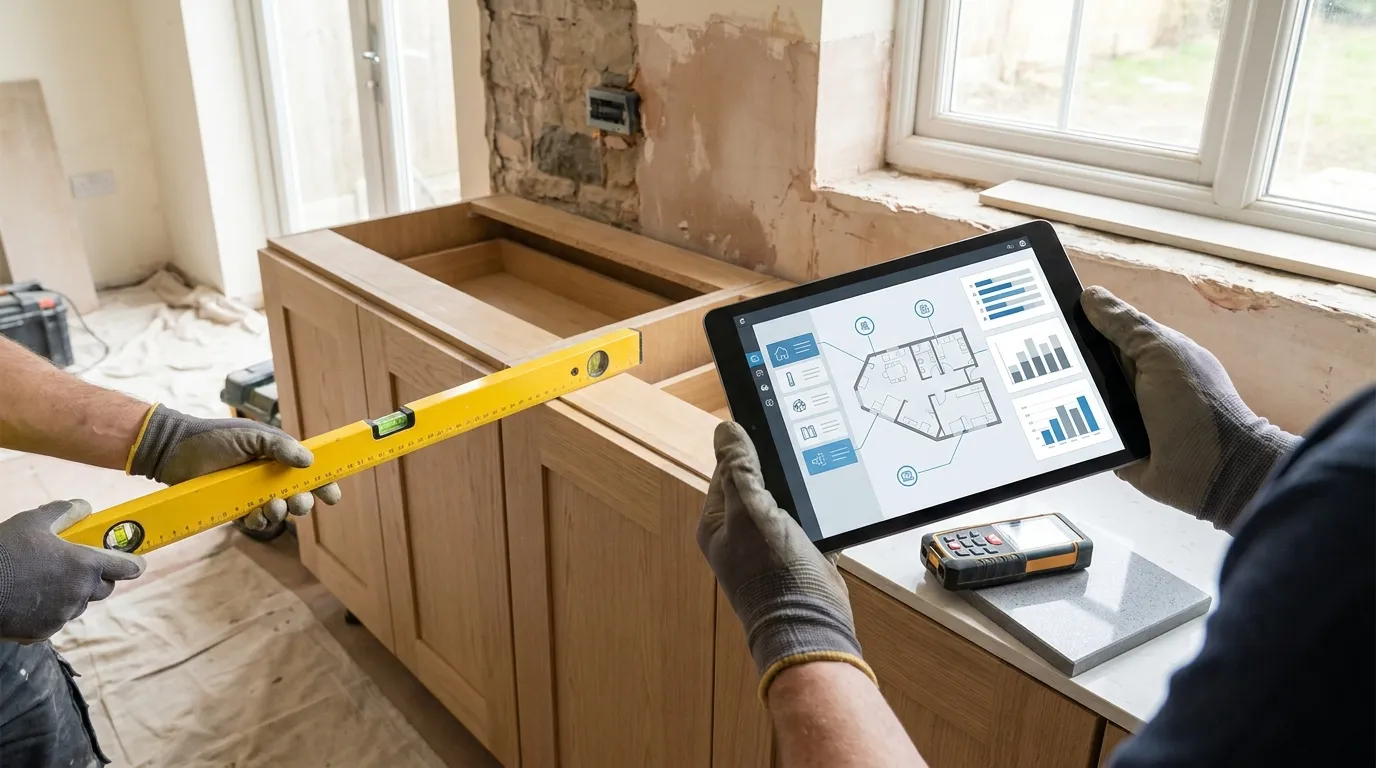
Build a repeatable site measurement workflow for templating best practices
A good site measurement workflow should work the same way every time, no matter who templates the job. That doesn’t mean it has to feel robotic, just consistent. The steps stay clear, fewer details get missed, and the team relies less on one experienced person keeping it all in their head.
A simple workflow might look like this:
1. Confirm job scope before leaving the yard
Check the material, thickness, edge profile, upstands, splashbacks, sink type, hob model, drainer details, and customer notes. Quartz worktops often come in 20-30 mm thicknesses. This affects the edge detail, the support needed, and the final look.
2. Confirm site readiness on arrival
Before measuring, check levels, fixed units, finished plastering, and access. If the site isn’t ready, stop and note the reason. A bad template is worse than a late one.
3. Capture all cut-out information
Don’t rely on later messages for sink, hob, tap, pop-up socket or service cut-out details. Keep models on site, or have them confirmed in writing. Missing appliance details can lead to remake risk.
4. Plan seams and support
Seams affect more than looks. They shape transport, access, strength, and install speed. Industry guidance says seam locations should keep the stone supported on both sides.
5. Record sign-off details
Before fabrication is released, the customer should approve overhangs, seam positions, drainer direction, and any visible details.
A connected system helps, and a stone workflow platform like CutBench gives office teams, templaters, and fitters one job record instead of leaving notes, photos, and messages spread around.
Why digital templating is changing the process
Manual templating still has a place in some shops, especially for simple jobs or for teams that are comfortable with stick methods. Even so, more crews are moving to digital capture because they can work faster on site and send information back to the office and shop with fewer missing details.
Stone trade reporting found 35% rely on digital templates, while 19% said they use manual templates. The same report shows a clear contrast. Digital templating can take around 30 to 45 minutes, while manual methods can take 2 to 3 hours and limit teams to 1 to 3 jobs per day. On some work, that same operator could handle 4 to 6 jobs in a day with digital methods.
| Templating approach | Typical site time | Typical daily capacity |
|---|---|---|
| Manual templating | 2-3 hours | 1-3 jobs |
| Digital templating | 30-45 minutes | 4-6 jobs |
| Complex project with digital tools | About 1 hour | Faster office handoff |
Control is the bigger gain. In trade coverage, a fabricator explained why many shops started going in that direction:
We moved that way in preparation for a CNC machine in the future. We were looking to gain control of a complicated process and place many of the decisions and double checks in one person in the office instead of a template person in the field and the guys in the shop.
That point matters for small and mid-sized fabricators. Digital templating does more than speed up measuring. Shops can avoid double entry, reduce handwritten notes, and keep a cleaner flow from site to programming and fabrication. With less friction, pressure can ease across the full job.
Common templating mistakes in templating best practices
Most remake problems don’t start with bad measuring. They start when teams miss conditions, handoffs are weak, or assumptions never get checked.
Here are the mistakes that cost stone shops the most:
Templating too early
If cabinets aren’t final, the measurement follows a cabinet layout that’s still changing, so the target can move during the whole process. The easiest error to avoid.
Missing appliance details
There’s no sink on site. The hob model is still missing, and the tap position hasn’t been decided yet. That may sound minor at the template stage, but it can throw off rail widths, clearances, and cut-out positions.
Poor seam planning
A seam picked just for looks can lead to handling issues, weak support or tricky site fitting. Looks matter, but seam planning should also take in transport path, room access, support and pattern flow.
Incomplete notes from site
Photos with no labels, voice notes with no structure, and handwritten sketches sent on WhatsApp slow the office down. Worse, they make it much more likely that fabrication starts from bad information. Messy.
No formal release step
Templating should make the go-or-no-go call for fabrication clear. If the team can’t tell if the job is ready, it isn’t ready.
Stone World quoted a second fabricator, who put the digital time-saving point in simple terms:
Going digital reduced the amount of time I was at each job compared to stick templating with luan.
Less time on site matters most when it also means cleaner records, better checks, and a faster visit.
Turn templating into a business control point
For many worktop firms, templating sits at the centre of the whole job. It links sales promises with technical reality, production planning and installation timing. It’s pretty important, so firms should treat it as a formal checkpoint, not just another field task.
A practical templating checkpoint should confirm:
- units installed and level
- wall finish complete
- sink, hob and tap confirmed
- edge profile agreed
- overhangs approved
- seam positions reviewed
- access and lifting risks noted
- fitter notes captured
- fabrication released only after review
That setup helps businesses move away from spreadsheets, paper packs and generic job tools. A connected worktop operations platform such as stone fabrication workflow software helps teams keep quotes, template notes, schedules, fabrication status and install updates linked to the same job record. Not every team needs to be fully digital on site for that to help. Even then, a better office workflow can improve consistency right away.
What a strong handoff looks like after templating
Once the site visit is done, the next steps decide whether the job keeps moving well. The template should go into fabrication without guesswork. At this stage, the template is taken back to the factory, scanned or used directly as a cutting pattern, and the slab is CNC-cut. That only works when the handoff is complete.
A good post-template handoff should include final dimensions, seam plan, edge notes, cut-out details, photos, material choice, slab allocation if known, and any risks for the fitting team. Typical stone lead times after templating are 7 to 14 days, while site fitting may take around 3 to 6 hours depending on the layout and the level of complexity. Small gaps here can slow things down before fabrication even starts.
If your office still has to chase missing sink details, retype notes, or ask the templater what a sketch means, the problem is not only the template. It goes deeper. The workflow around the template is creating the confusion, and the fitting team feels the effect later.
Put templating best practices into practice
If the goal is fewer mistakes on quartz worktops and granite jobs, start with the process, not the technology. A laser tool on its own won’t fix a weak workflow. Good templating habits are simple: measure only ready sites, confirm every appliance and detail, plan seams with support in mind, and follow the same site measurement workflow every time.
For owners and operations managers, the benefit goes well beyond accuracy. They deal with fewer callbacks, fewer remakes, less chasing, and better use of team time. Office teams get cleaner scheduling and can release jobs faster, while templaters and fitters face fewer surprises on site.
A simple next step is to create a standard pre-template checklist and a standard handoff checklist. Then keep both visible for sales, office, field, and shop teams. When everyone follows the same process, the business feels calmer quickly. Less friction. Work moves more smoothly.
Templating is where expensive mistakes can start. With the right workflow, templating best practices also help reliable jobs begin.